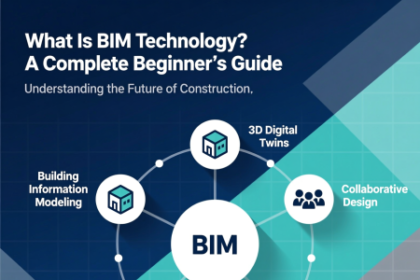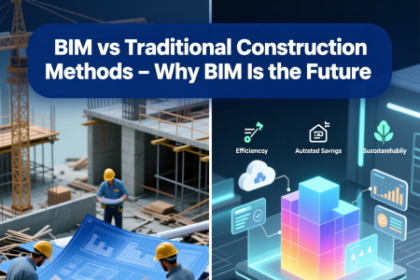



In the rapidly evolving construction industry, BIM software tools have become indispensable for delivering projects on time, within budget, and to the highest standards of quality. Building Information Modeling (BIM) represents a digital transformation that enables construction professionals to create, manage, and share intelligent 3D models throughout the entire project lifecycle. We believe that mastering the right BIM software tools is essential for staying competitive in today’s market.
This comprehensive guide explores the most powerful BIM software tools available, providing in-depth insights into their features, capabilities, and real-world applications. Whether you are an architect, engineer, contractor, or project manager, understanding these tools will empower you to make informed decisions that drive project success.
What Is Building Information Modeling (BIM) and Why It Matters
Building Information Modeling (BIM) is an intelligent process that generates and manages digital representations of physical and functional characteristics of places. Unlike traditional 2D drawings, BIM creates rich, data-driven 3D models that contain geometric information as well as metadata about materials, costs, schedules, and performance specifications.
The adoption of BIM has revolutionized construction by enabling better collaboration, reducing errors, minimizing rework, and improving overall project outcomes. Studies show that projects using BIM experience up to 20% cost savings and significant reductions in schedule delays. For construction professionals, proficiency in BIM software tools is no longer optional—it’s a requirement for delivering modern infrastructure.
Core Benefits of Using BIM Software Tools in Construction
Implementing BIM software tools delivers numerous advantages across all project phases:
- Enhanced Collaboration: Multiple stakeholders can work on the same model simultaneously, ensuring everyone has access to the latest information.
- Clash Detection: Identify conflicts between systems (structural, mechanical, electrical) before construction begins, preventing costly field changes.
- Accurate Cost Estimation: Generate precise quantity takeoffs and cost calculations directly from the model.
- Improved Visualization: Create photorealistic renderings and virtual walkthroughs for better client communication.
- Sustainable Design: Analyze energy performance, daylighting, and material efficiency early in the design process.
- Facility Management Integration: Provide as-built models for ongoing operations and maintenance after project completion.
These benefits make BIM software tools essential for achieving excellence in contemporary construction practices.
Top BIM Software Tools for Architectural Design
Autodesk Revit: The Industry Standard for BIM
Autodesk Revit remains the most widely adopted BIM authoring tool worldwide. This powerful platform supports architecture, MEP (mechanical, electrical, plumbing), and structural engineering within a single, integrated environment.
Key features of Revit include:
- Parametric modeling capabilities that maintain relationships between building elements
- Comprehensive family libraries for creating custom components
- Advanced scheduling and quantity takeoff tools
- Integrated analysis for energy, structural, and daylighting performance
- Cloud collaboration through BIM 360 integration
- Generative design tools powered by AI
- Detailed documentation with automated sheet creation
Revit’s multi-disciplinary approach allows architects to create coordinated models that seamlessly integrate with engineering disciplines. The software’s robust API enables extensive customization through third-party add-ins, making it adaptable to virtually any project type—from residential buildings to complex infrastructure.
Graphisoft ArchiCAD: Innovative BIM for Architects
Graphisoft ArchiCAD pioneered BIM technology and continues to innovate with its intuitive interface and powerful modeling capabilities. Known for its Open BIM approach, ArchiCAD excels in collaborative workflows.
Notable features include:
- Intuitive direct modeling with push-pull technology
- Advanced GDL (Geometric Description Language) for parametric objects
- Built-in energy evaluation and sustainability analysis
- Teamwork functionality for real-time collaboration
- Morph tool for freeform modeling
- Superior visualization with CineRender engine
- IFC interoperability leadership
ArchiCAD’s focus on design freedom makes it particularly popular among architects who prioritize creativity while maintaining BIM discipline.
Essential BIM Software Tools for Structural Engineering
Tekla Structures: Advanced Steel and Concrete Detailing
Tekla Structures by Trimble is the premier solution for structural steel and precast concrete detailing. This tool creates highly accurate, constructible models that serve as the single source of truth for fabrication.
Critical capabilities include:
- True multi-material modeling (steel, concrete, timber, rebar)
- Automated shop drawings and CNC data generation
- Advanced connection design with component libraries
- Pour planning and concrete management
- Integration with fabrication machinery
- Change management with version comparison
- LOD 500 model accuracy for as-built conditions
Tekla’s ability to produce fabrication-ready models makes it indispensable for structural engineers working on complex projects.
Autodesk Robot Structural Analysis Professional
Robot Structural Analysis integrates seamlessly with Revit to provide advanced structural analysis capabilities directly within the BIM workflow.
Features include:
- Comprehensive load combinations per international codes
- Steel and concrete design verification
- Dynamic analysis including seismic and wind
- Results visualization overlaid on BIM model
- Direct model synchronization with Revit
- Advanced meshing capabilities
- Foundation design tools
This integration eliminates the need to recreate geometry for analysis, saving significant time while ensuring accuracy.
Leading BIM Software Tools for MEP Engineering
Autodesk Revit MEP: Integrated Mechanical, Electrical, and Plumbing Design
Revit MEP provides specialized tools for building systems design within the same platform used by architects and structural engineers.
Key features:
- Systems analysis for duct and pipe sizing
- Electrical panel schedules and circuiting
- Load calculations and energy analysis
- Fabrication detailing with MEP fabrication parts
- Coordination with architectural and structural elements
- Content libraries for manufacturer-specific components
The unified environment ensures perfect coordination between disciplines.
Trimble Stabicad (formerly Stabiplan)
Trimble Stabicad offers powerful MEP design tools with strong European code compliance and manufacturer content.
Highlights include:
- Calculation-integrated design
- Extensive manufacturer libraries
- Automated schematic generation
- Clash-free routing
- Fabrication-level detailing
- Open BIM compatibility
Best BIM Software Tools for Construction Management and Execution
Construction management and execution represent the most critical phase where BIM software tools transition from design coordination to real-world delivery. The right platforms in this category help teams reduce costly rework, improve safety, maintain schedules, control budgets, and deliver accurate as-built documentation.
Below we provide an in-depth, up-to-date (December 2025) analysis of the most powerful BIM software tools specifically designed or heavily utilized for construction management and field execution phases.
Autodesk Construction Cloud (ACC) – The Current Ecosystem Leader
Formerly known as BIM 360, Autodesk Construction Cloud has evolved into a comprehensive, modular ecosystem that covers nearly every aspect of project delivery.
Core Modules (as of late 2025)
- Model Coordination – Advanced clash detection with automatic grouping, custom views, and BCF export/import
- Docs – Unlimited versioned document storage with granular permissions, transmittals, and drawing sheet comparison
- Build – Field execution hub with daily logs, quality inspections, safety checklists, punch lists, and RFIs
- Cost – Connected cost management with forecasting, change orders, and payment applications
- Insight – Advanced analytics including predictive risk indicators, productivity dashboards, and benchmark comparisons
- Design Collaboration – Real-time model review and markup for design teams
- BIM Collaborate – Focused model coordination environment (replacing legacy BIM 360 Coordinate)
- Field – Mobile-first application (formerly PlanGrid) with redlining, photo documentation, and offline capabilities
- Reality Capture – Direct integration with ReCap, Leica BLK, and third-party 360° cameras
- Autodesk Build IQ – AI-powered risk prediction and opportunity identification
Key Advantages in 2025
- Native Autodesk ecosystem integration (Revit, Navisworks, Civil 3D, ACC)
- Extremely mature mobile applications (iOS & Android)
- Robust API ecosystem with hundreds of third-party integrations
- Regular feature releases (typically 4–6 major updates per year)
- Strong support for large-scale projects (100+ GB models, thousands of users)
Typical Use Case A 45-story mixed-use tower with 15 subcontractors. All design models are federated in BIM Collaborate, issues are tracked in ACC Issues, field teams use Field app for daily logs and inspections, cost team manages change orders in Cost module, and executive dashboards are monitored in Insight.
Trimble Connect – The Open Collaboration Champion
Trimble Connect remains the strongest truly open, multi-vendor cloud collaboration platform in the industry.
2025 Standout Features
- Unlimited project storage and unlimited users (even free tier)
- Model federation supporting 50+ formats (IFC, Revit, Tekla, SketchUp, DWG, DGN, etc.)
- Advanced model comparison with color-coded change visualization
- Issues management with status workflows, due dates, and photo attachments
- Clash detection (cloud-based, including between different vendor models)
- Markups directly on 3D models and 2D sheets
- Point cloud overlay and streaming
- XR support (mixed reality via HoloLens and Magic Leap)
- API-first architecture with extensive webhooks and REST API
- Trimble Connect for Business – enterprise-grade security and SSO
Unique Strengths
- Vendor neutrality (no preference for Trimble products)
- Extremely fast model loading even for very large federated models
- Strong European and Middle East market penetration
- Excellent mobile apps with offline model caching
Bentley SYNCHRO 4D – The Gold Standard for Construction Simulation
SYNCHRO Pro (now part of Bentley’s iTwin platform) continues to lead the 4D construction simulation market.
2025 Key Capabilities
- True 4D timeline with resource loading and cost loading
- Multiple baseline comparison and forensic delay analysis
- Micro-level sequencing (individual pours, steel member erection, MEP installation)
- Animation engine with camera paths, section planes, and transparency control
- iTwin integration – cloud-based model synchronization
- Field progress tracking via mobile capture and reality capture alignment
- Linear scheduling (time-distance) for infrastructure projects
- What-if scenario manager with automatic cost/schedule impact calculation
- Export to Navisworks, Primavera P6, Microsoft Project, Asta Powerproject
Typical Projects High-speed rail corridors, airport expansions, hospital campuses, large industrial plants, and mega-bridges.
Oracle Primavera Cloud + Unifier – Enterprise-Level Alternative
While less known in pure BIM circles, Oracle Primavera Cloud combined with Oracle Aconex (now part of Unifier) provides a very strong enterprise-grade construction management solution with growing BIM capabilities.
Notable Features (2025)
- Cloud-native Primavera P6 scheduling
- Connected cost & earned value management
- Document control with advanced transmittal workflows
- BIM integration module (growing IFC and model visualization support)
- Risk register with Monte Carlo simulation
- Very strong for large owner organizations and EPC contractors
Procore – The Fastest Growing Construction Management Platform
Procore has aggressively expanded its BIM capabilities since 2022.
2025 BIM-Related Highlights
- BIM Viewer with model federation (supports Revit, IFC, Navisworks)
- Direct linking between model objects and Procore items (RFIs, submittals, inspections)
- Reality Capture integration with 360° photos and point clouds
- Model Coordination tool with basic clash detection
- Very strong field execution module (daily logs, punch lists, T&M tickets)
Procore vs Autodesk Construction Cloud (2025 perspective) Procore generally wins on user experience and field adoption speed, while Autodesk Construction Cloud maintains advantage in native model coordination depth and Autodesk ecosystem integration.
Other Notable Construction Execution Platforms
| Platform | Primary Strength | Model Support Level | Best For |
|---|---|---|---|
| Autodesk Construction Cloud | Deep model coordination + full lifecycle | ★★★★★ | Multi-discipline projects |
| Trimble Connect | Vendor-neutral collaboration | ★★★★★ | OpenBIM & multi-vendor projects |
| Procore | Field adoption & user experience | ★★★★ | General contractors |
| Bentley SYNCHRO | Advanced 4D/5D simulation | ★★★★★ (4D) | Complex sequencing projects |
| Oracle Primavera Cloud + Unifier | Enterprise scheduling & cost control | ★★★ | Owners & large EPCs |
| ALICE Technologies | AI-powered construction schedule optimization | ★★★★ | Schedule optimization |
| nPlan | AI predictive analytics on schedules | ★★★ | Risk forecasting |
| Buildots | Progress tracking via 360° cameras + AI | ★★★★ | Automated progress monitoring |
Specialized Tools Worth Mentioning in 2025
- Buildots – AI-powered progress tracking using helmet-mounted 360° cameras
- OpenSpace – Construction progress documentation with AI-powered photo localization
- Doxel – AI analysis of laser scans for progress and quality
- Versatile – Reality capture + AI quantity verification
- Indusface – Emerging AI-powered quality control using computer vision
- Alice Technologies – Generative construction scheduling using Monte Carlo + AI
Reality Capture Integration – The Bridge Between Digital & Physical
The most transformative trend in 2025 is the deep integration between BIM software tools and reality capture technologies:
- Leica RTC360 + Cyclone FIELD 360 → Cyclone 3DR → Trimble Connect / Autodesk Construction Cloud
- Matterport Pro3 + Autodesk ReCap + ACC
- Faro Focus Premium + EdgeWise + Revizto
- NavVis VLX wearable scanner + cloud processing
- Boston Dynamics Spot + LiDAR payload for autonomous scanning of active sites
These combinations allow weekly or even daily as-built vs design model comparison with millimeter accuracy.
Choosing the Right BIM Software Tools for Your Needs
When selecting BIM software tools, consider:
- Project types and scale
- Team size and collaboration requirements
- Budget constraints
- Existing software ecosystem
- Required deliverables
- Local code compliance needs
- Training and support availability
Many organizations adopt a multi-tool approach, using specialized software for different disciplines while maintaining interoperability through open standards.
Implementation Strategies for BIM Software Tools
Successful adoption requires:
- Clear BIM execution plan
- Standardized templates and libraries
- Comprehensive training programs
- Progressive implementation starting with pilot projects
- Regular model audits and quality checks
- Change management processes
- Continuous improvement feedback loops
Future Trends in BIM Software Tools
The future of BIM software tools includes:
- Increased AI and machine learning integration
- Digital twin development
- Augmented and virtual reality applications
- Cloud-native platforms
- Generative design capabilities
- Blockchain for data integrity
- IoT integration for smart buildings
- Sustainability-focused analysis tools
Training and Certification for BIM Software Tools
Professional development options include:
- Autodesk Certified Professional
- Graphisoft BIM Manager certification
- buildingSMART International qualifications
- AGC Certificate of Management – BIM
- University programs and continuing education
Case Studies: Successful BIM Implementation
Leading firms worldwide have achieved remarkable results through effective use of BIM software tools:
- Shanghai Tower: Extensive use of BIM for complex geometry coordination
- Crossrail (Elizabeth Line): Massive infrastructure project with comprehensive BIM
- Sydney Opera House retrofit: BIM for heritage preservation
- Heathrow Airport expansion: Collaborative BIM delivery
These projects demonstrate the transformative power of proper BIM implementation.
Conclusion and Recommendations
Mastering BIM software tools represents a fundamental shift in how construction professionals approach their work. The tools discussed in this comprehensive guide represent the current state-of-the-art in Building Information Modeling technology.
Recommendations:
- Start with core authoring tools (Revit or ArchiCAD) based on your discipline
- Implement cloud collaboration platforms immediately
- Invest in model checking and coordination tools
- Adopt open standards for interoperability
- Commit to continuous training and development
- Develop internal standards and templates
- Begin with smaller projects to build expertise
- Partner with experienced BIM consultants when needed
15 Frequently Asked Questions
1. What are the best BIM software tools for beginners? Autodesk Revit and Graphisoft ArchiCAD offer excellent learning resources and intuitive interfaces for those new to BIM.
2. Is Revit the only true BIM software? No. Multiple platforms including ArchiCAD, Tekla, Vectorworks, and Allplan provide comprehensive BIM capabilities.
3. Can different BIM software tools work together? Yes, through IFC standards and direct integrations, different tools can exchange data effectively.
4. What is the most widely used BIM software? Autodesk Revit currently holds the largest market share globally.
5. Are there free BIM software tools available? Limited free versions exist, but professional work typically requires paid licenses.
6. How much do BIM software tools cost? Costs vary significantly. Revit subscriptions start around $2,500 annually, while some tools offer lower pricing.
7. What hardware is required for BIM software? High-performance workstations with dedicated graphics cards, substantial RAM, and fast processors.
8. Can BIM software tools be used on Mac computers? ArchiCAD and Vectorworks have native Mac versions. Revit requires Windows or virtualization.
9. What is the difference between CAD and BIM software? CAD creates 2D/3D geometry while BIM creates intelligent, data-rich models with relationships and metadata.
10. How long does it take to learn BIM software tools? Basic proficiency can be achieved in months, while mastery requires years of practical experience.
11. Are cloud-based BIM tools secure? Major providers implement enterprise-grade security measures and compliance certifications.
12. What is 4D, 5D, and 6D BIM? 4D adds time/scheduling, 5D adds cost, 6D adds sustainability/facility management information.
13. Do all construction projects require BIM? Many public projects now mandate BIM, and private projects increasingly adopt it for competitive advantage.
14. Can small firms benefit from BIM software tools? Yes. Many tools offer scalable solutions suitable for firms of all sizes.
15. What is the future of BIM software tools? Integration with AI, digital twins, AR/VR, and cloud computing will drive continued evolution.